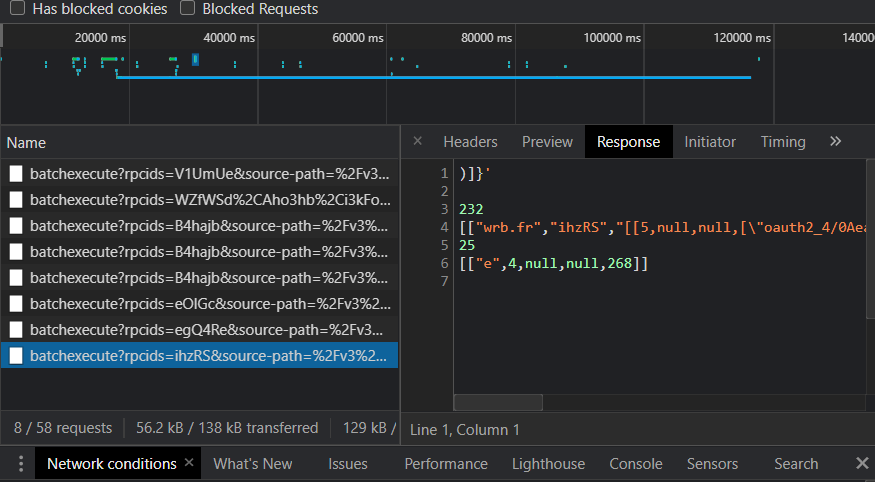
looking to use an actual youtube account with yt2009?
(no, take me back)
if so, you will need to connect your youtube account with yt2009.
the process will take a few minutes and requires you to use a PC with a relatively modern browser.
you will also need to carefully read through the instructions given.
if you've signed into mobile apps with yt2009, this process will be familiar.
having trouble using an older browser? sign in through a new one and copy the pchelper_user cookie.
start connection
already have a pchelper_user cookie?
loading..
=== yt2009 pchelper ===
please check info below and ensure all sounds alright.
current instance: ?
make sure you trust the instance!
yt2009 cannot guarantee nothing will happen with your account when using pchelper.
by continuing, you agree that you will not abuse this functionality,
and that you won't blame anyone involved in providing this service to you, should any account bans happen.
there are no reported bans so far with people only using pchelper, but stay cautious and don't abuse.
agree and continue
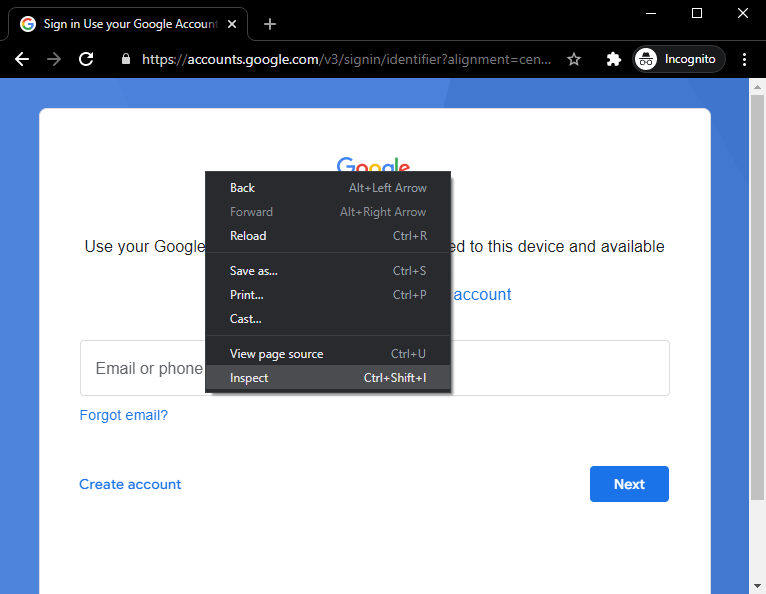
2. right click on the sign in page, inspect element.
 done
done
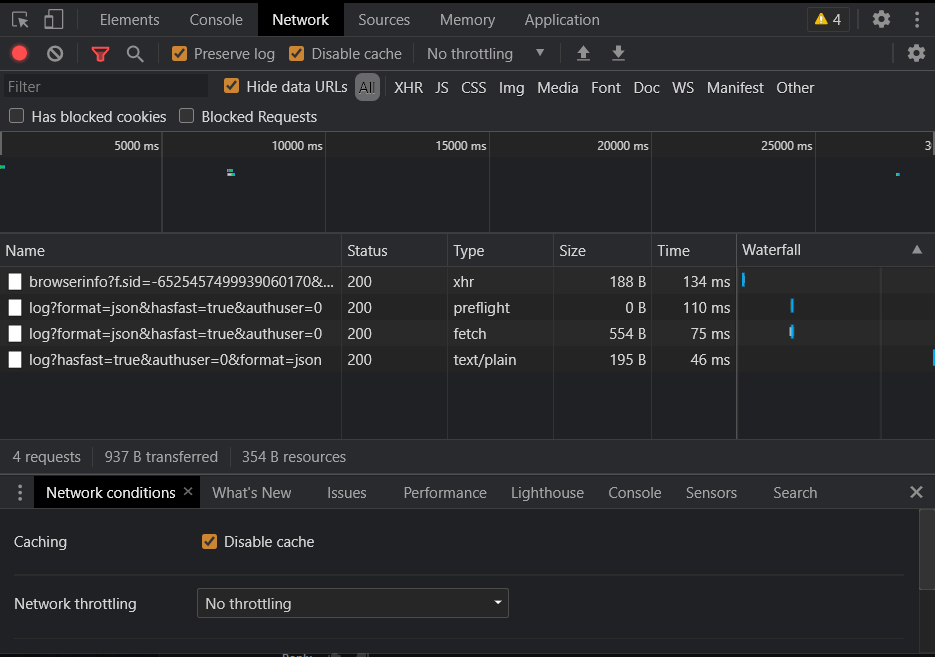
3. on the inspect window, click on the Network tab.
 done
done
4. you can now sign in.
that's not it yet! once "I agree" is clicked on the page, click "done" for further instructions.
done
adding account, please wait..
© 2026 ftde0 & saursvepur